
In Machine learning, while working with the scikit-learn (sklearn) library or any other modules, we need to save the trained models in a file and restore them in order to reuse them to compare the model with other models, to test the model on a new data.
All the executed in this article can be found in this notebook link. Please take a copy and give it a try to learn more.
Saving of the data
The saving of data is called Serialization while restoring the data is called Deserialization Also, we deal with different types and sizes of data. Some datasets are easily trained (i.e) they take less time to train but the datasets whose size is large (more than 1GB) can take a very large time to train on a local machine even with GPU.
When we need the same trained data in some different project or later sometime, to avoid the wastage of the training time, store trained model so that it can be used anytime in the future.
There are two ways we can save a model in sci-kit learn,
1. As a string – Pickle string
The Pickle module implements a fundamental, but powerful algorithm for serializing and de-serializing a Python object structure.
The pickle model provides the following functions,
- pickle.dump to serialize an object hierarchy, you simply use dump().
- pickle.loads to deserialize a data stream, you call the loads() function.
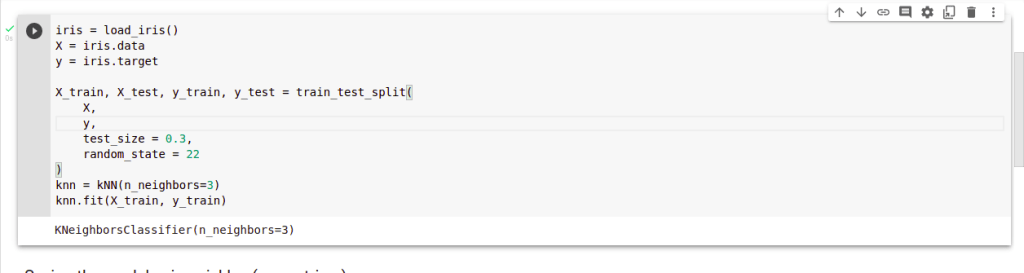
Example: Let’s apply kNN (K Nearest Neighbor) on the iris dataset and then save the model.
import pickle
import numpy as np
from sklearn.datasets import load_iris
from sklearn.model_selection import train_test_split
from sklearn.neighbors import KNeighborsClassifier as kNN

iris = load_iris()
X = iris.data
y = iris.target

X_train, X_test, y_train, y_test = train_test_split(
    X,
    y,
    test_size = 0.3,
    random_state = 22
)
knn = kNN(n_neighbors=3)
knn.fit(X_train, y_train)
saved_model = pickle.dumps(knn)

Comparing the outputs,
actual_model_output = knn.predict(X_test)

knn_from_pickle = pickle.loads(saved_model)
restored_model_output = knn_from_pickle.predict(X_test)

print("Actual Model Output ", actual_model_output)
print("Restored Model Output ", restored_model_output)

2. As a File – Using Joblib
Joblib is the replacement of pickle as its more efficient on objects that carry large numpy arrays. These functions also accept file-like objects instead of filenames.
- joblib.dump – To serialize an object hierarchy
- joblib.load – To deserialize a data stream
Saving to pickled file using joblib,
import joblib
joblib.dump(knn, 'knn_model.pkl')
In this article, we have seen the 2 simple methods followed to save and restore a machine learning model also comparing the outputs between actual, restored models. In upcoming projects, we can use these methods to save models and a lot of time. Happy Learning !!!
 Syed Jafer K